
How to Reward
1
Click the reward button
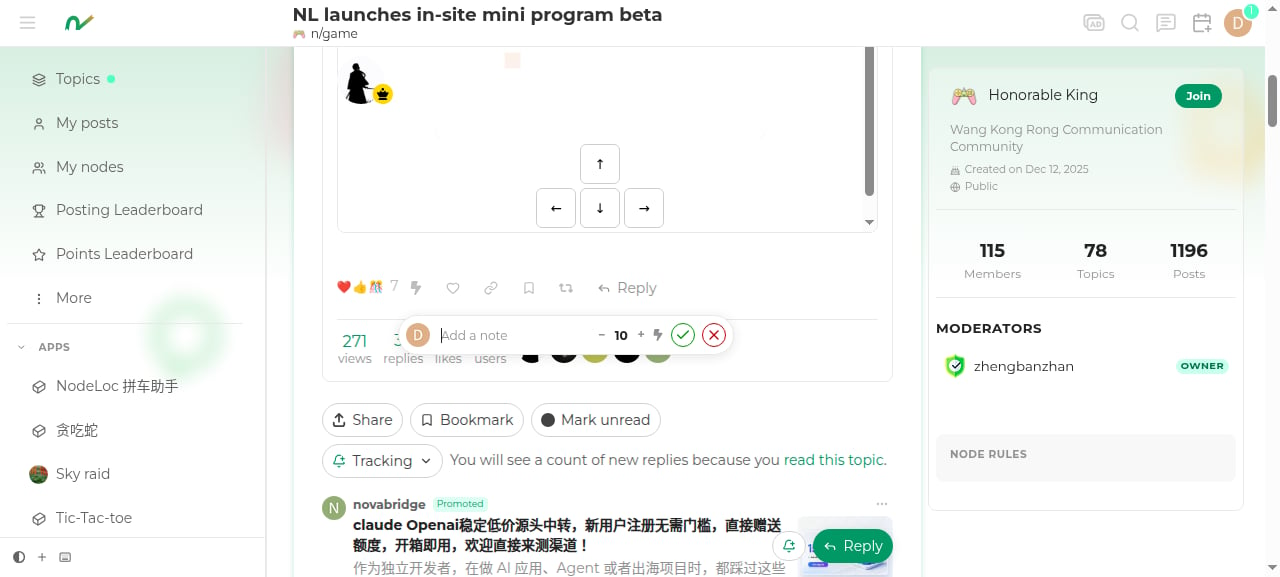
Click the ⚡ button in the post action bar (hovering shows “Reward this poster”).
2
Enter amount and note
Adjust the amount in the reward popup (default 10 Energy) and optionally add a note.
3
Confirm and send
Click ✓ to confirm; the Energy is transferred from your account to the author’s account immediately.
Rules
- The reward amount must be a positive integer.
- You cannot reward your own posts.
- Each user can only reward a given post once.
- The per-reward limit increases with your trust level:
Withdrawing a Reward
If you change your mind after rewarding, you can click “Withdraw reward” in the post’s reward records:- The Energy is deducted back from the author’s account and returned to yours.
- The author receives a “reward withdrawn” notification.
Rewarding is voluntary — please spend your Energy wisely. If you’re short on Energy, you can build it up first through daily check-in, posting, and interacting.