
How to Check In
1
Find the check-in button
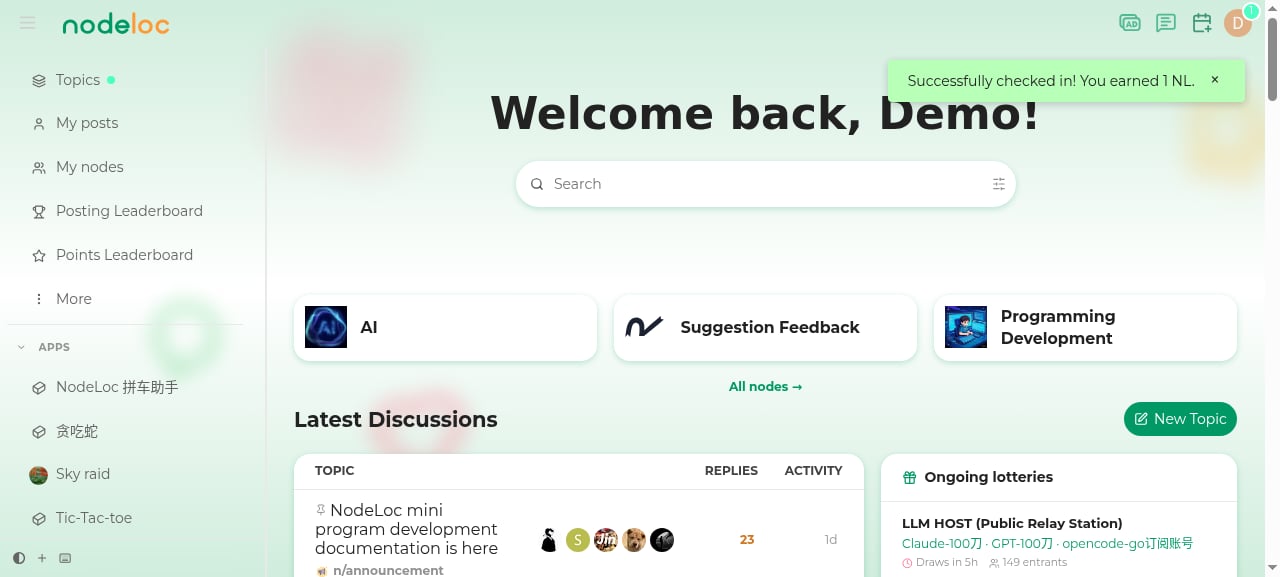
After logging in, there’s a “Daily Check-in” button in the top-right corner of the page (to the left of your avatar).
2
Click to check in
Click the button — when you see “Check-in successful! You received N Energy”, you’re done.
Rules
- Once per day: based on calendar days — you can only check in once per day. After checking in, the button shows “You have already checked in today”.
- Energy reward: the check-in reward is credited directly; you can view the “Daily check-in reward” record in your Energy history.
- Reward amounts may change: the exact amount is whatever the check-in message shows; users with higher trust levels may receive larger check-in rewards.
FAQ
Check-in Energy not credited?
Check-in Energy not credited?
Check your Energy history for a “Daily check-in reward” record. If the check-in appeared successful but there’s no record, report it in the Suggestions & Feedback node.