
Check Your Energy Balance and History
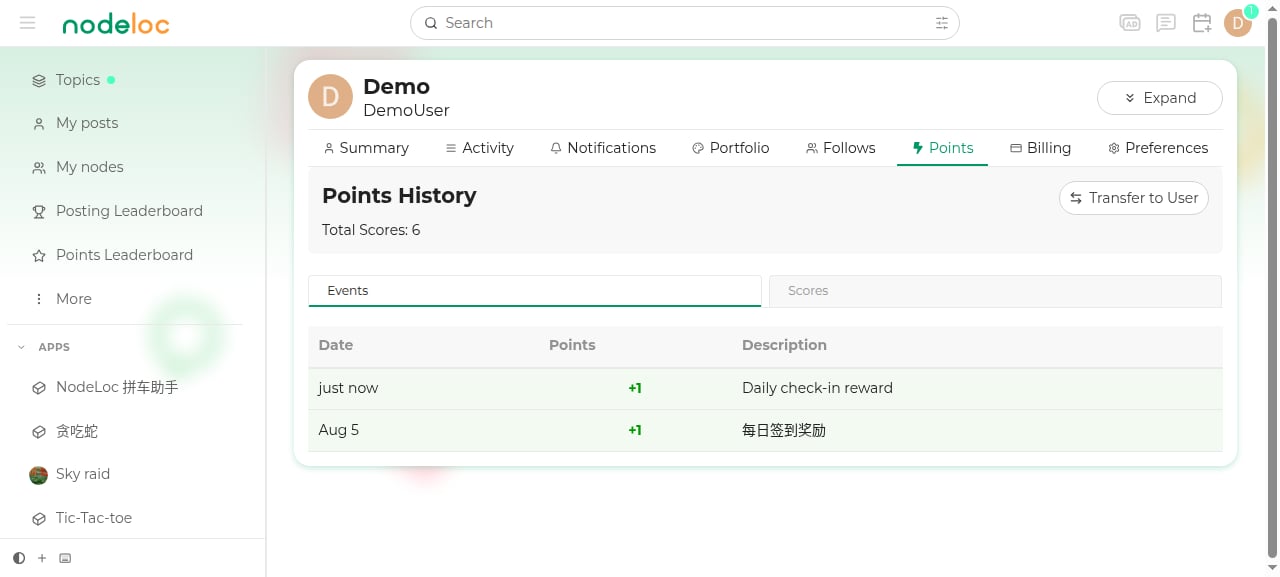
Visit Profile → Energy (or go directly to/u/your-username/points-history) to see:
- Current total Energy
- Events: details of every Energy transaction (check-in rewards, reward income, lottery ticket purchases, transfers, etc.)
- Energy: Energy statistics grouped by activity type
How to Earn Energy
The above are the default rules. Actual values may change with operational policy — the credited amount prevails.
Energy Transfers
You can transfer Energy to other users.1
Open their user card
Click their avatar to open the user card.
2
Click Transfer
Click the “Transfer” button on the card, enter an amount, and confirm.
Fees and Limits
The transfer fee is paid by the sender on top of the transfer amount. Rates and limits decrease/increase with trust level:
Example: a Silver Member transfers 100 Energy — 105 is deducted from their balance (100 + 5 fee), and the recipient receives 100.
What Energy Is Used For
- Reward great posts
- Send red envelopes
- Buy lottery tickets
- Purchase pay-to-view content
- Spend on third-party websites integrated with the payment system
- Transfer to other users