
Browsing Projects
Visit /projects to browse sorted by recommended, newest, highest rated, most reviewed, or most viewed. Click a project card to open its detail page with the introduction, screenshots, and community reviews.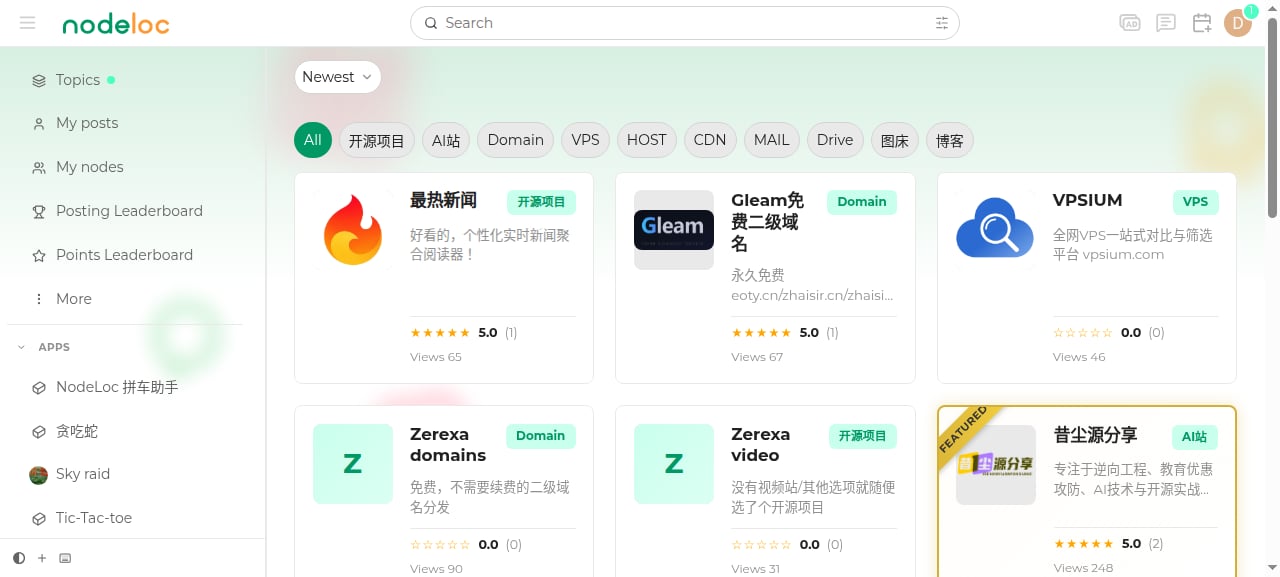
Submitting a Project
1
Open the submission form
Click “Submit Project” on the project list page (requires Silver member TL1 or above; up to 3 submissions per day).
2
Fill in project info
- Project name and project URL (unique site-wide)
- Short description (within 50 characters) and detailed description (Markdown supported)
- Project logo (200×200 recommended)
- Project category, tech stack, and tags
- Repository, team size, contact info, founding date (optional)
3
Submit for review
Check “Submit for review” to put the project into pending review — it goes public once an admin approves it. Leave it unchecked to save as a draft.
Reviewing Projects
- On the project detail page, click “Write a review” to rate it and share your experience.
- Each user can only review a project once, and can edit the review within 24 hours of posting it.
- You cannot review your own project.
- You can mark others’ reviews as “helpful / not helpful”, and project owners can reply to reviews.