
Linking steps
1
Get your Chat ID
Open Telegram and message the bot @nler_bot. The bot will automatically reply with your unique Chat ID.
2
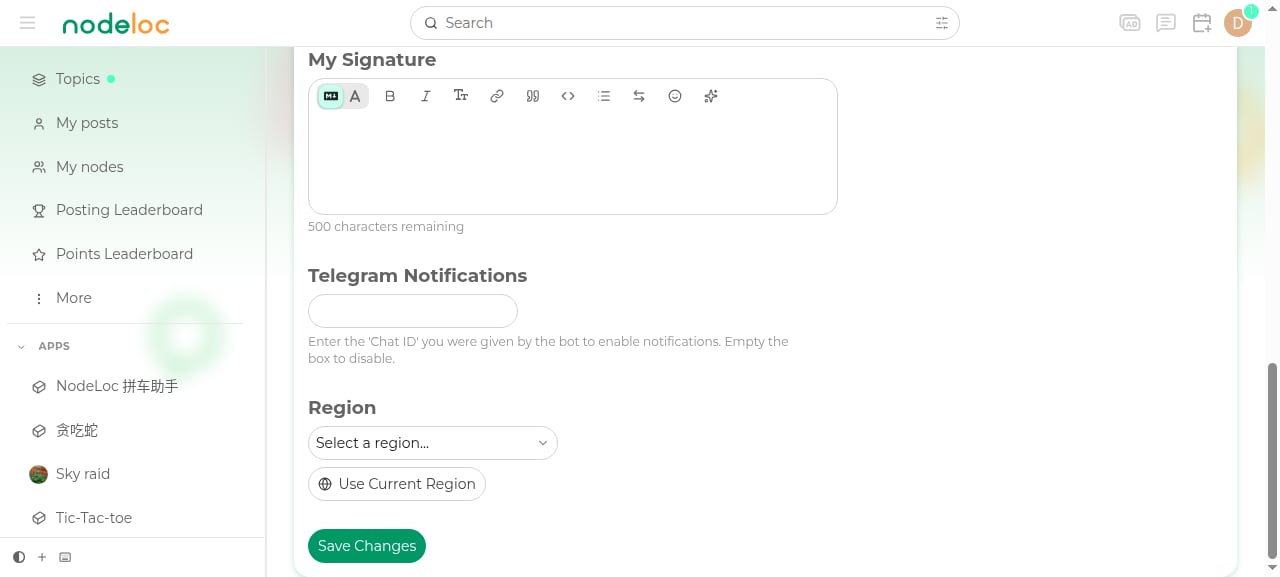
Enter your Chat ID
Log in to the NodeLoc forum, go to Preferences → Profile, find “Telegram Notifications”, enter the ID returned by the bot, and save.
3
Start receiving notifications
Once saved, forum notifications such as private messages, replies, and likes will be pushed to your Telegram.
Notes
- Leave the field empty to disable Telegram notifications.
- If you don’t receive notifications, check that the ID was entered correctly, or get it again from the bot and re-save.
- Make sure Telegram message notifications are enabled and that you haven’t blocked @nler_bot.